Rasa Bot
A platform for businesses to build AI chatbots from their own content and put them on their site.
About the project
A chatbot made from your own content
Rasa Bot lets businesses and organisations turn their website content and files into an AI chatbot, embed it on their site, and manage the plan and usage behind it.
The challenge
Rasa's business model has two dimensions: how long a plan lasts and how many questions it includes. Customers needed to build a bot without friction and always know what they had left, what they were buying and what each decision would change.
What I did
- Simplified creating and managing knowledge bases, without losing sight of existing sources.
- Named the Bronze, Silver and Gold plans and gave each a visual identity.
- Presented the starter allowance as a gift, not a free plan.
- The flows to buy, reserve, activate, renew and add questions.
- Empty, error and loading states in Rasa's own voice.
So what is Rasa?
From first look to first bot
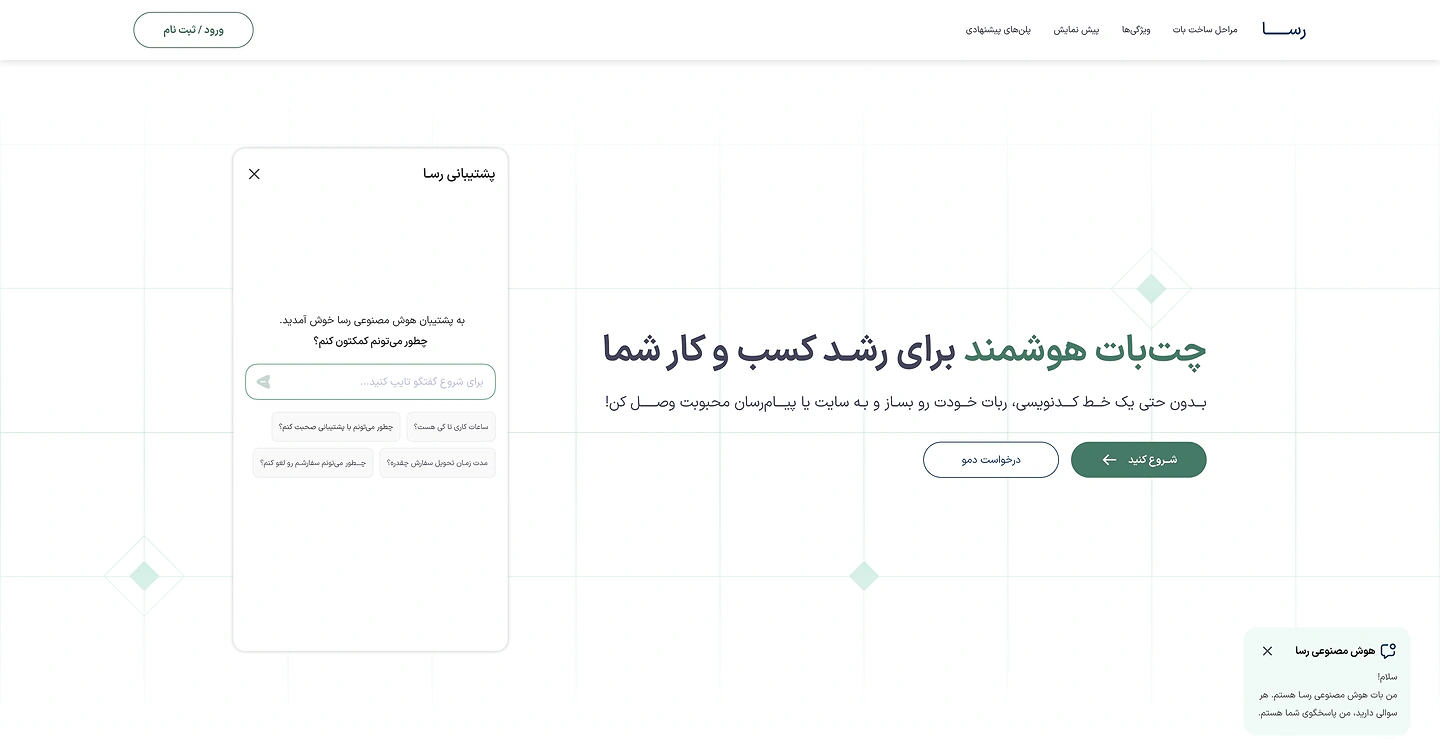
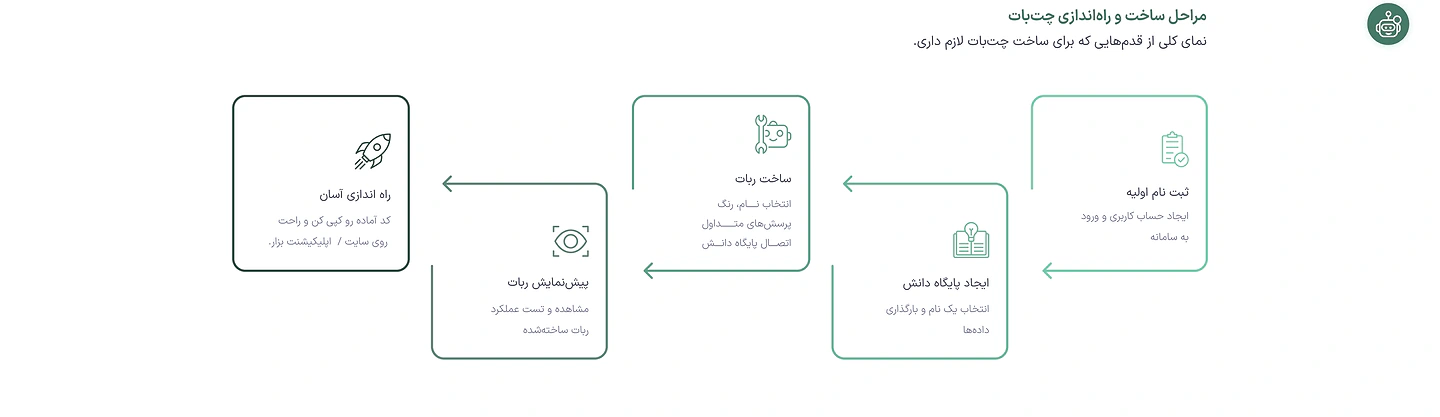
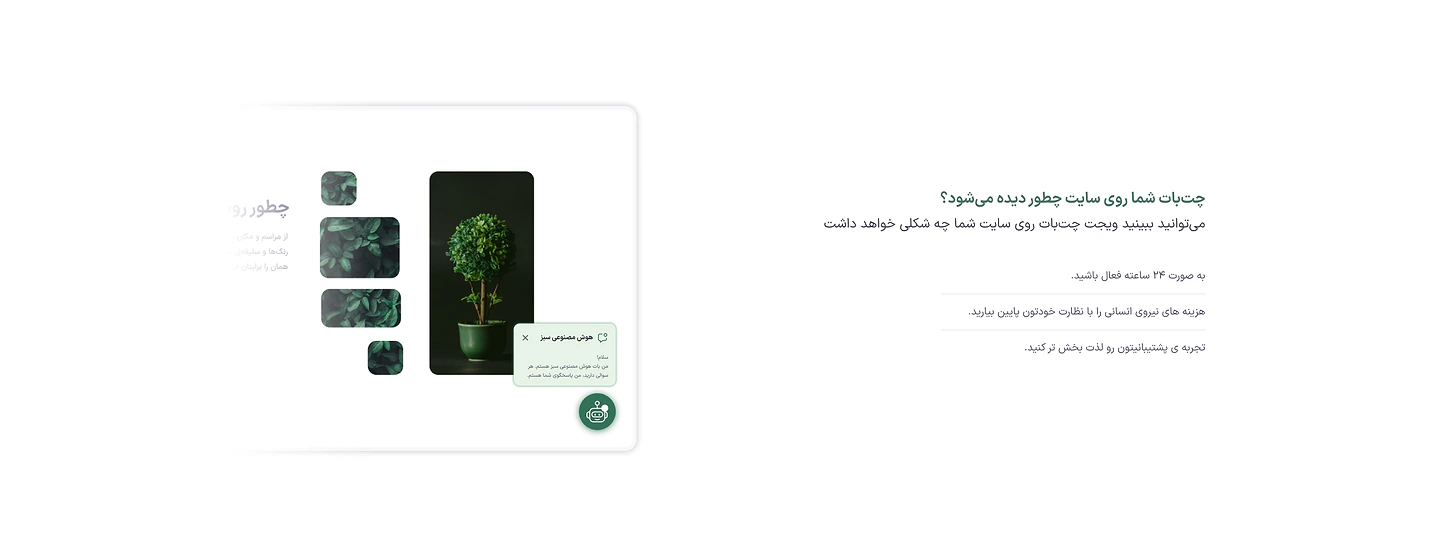
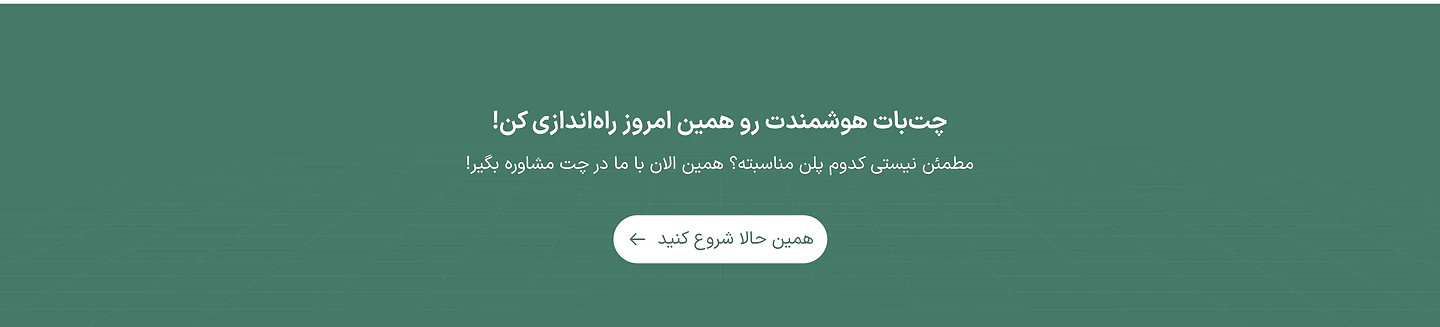
The page that introduces businesses to Rasa: a live widget at first glance, five steps to a bot, the features, a preview on your site, and the plans.

How do I teach the bot about my business?
Knowledge, without losing what's already there
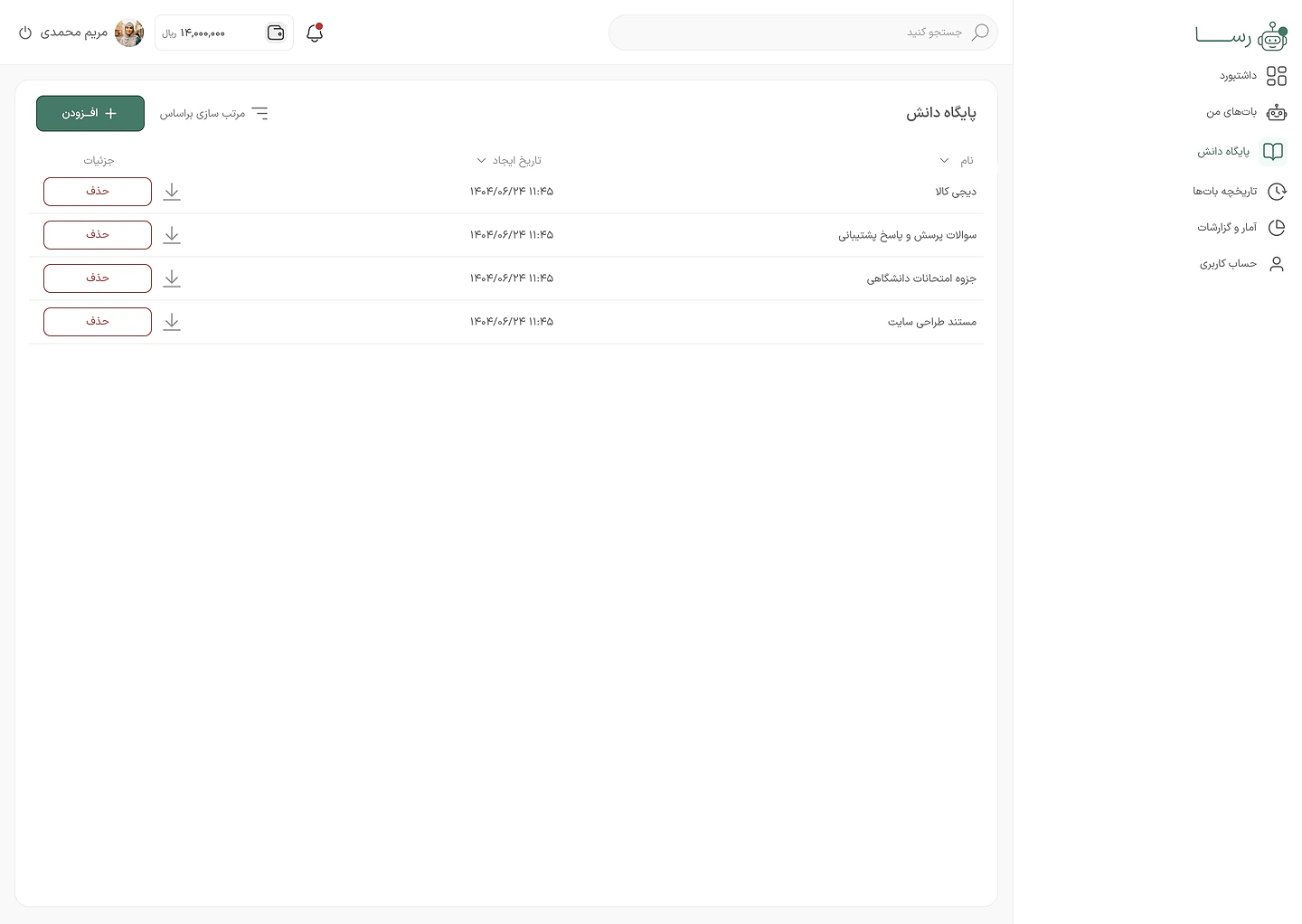
Adding knowledge is the most important task in Rasa. I cut it down to the fewest steps and kept existing sources in view the whole time.
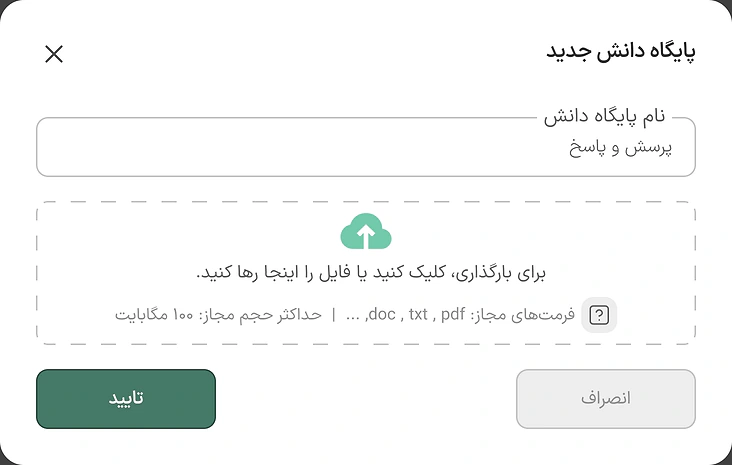
A name and a file
That's the whole form: a name, and a PDF, Word or text file dropped in.
The old ones stay put
The new source joins the list, and every earlier source stays beside it with its date and download.
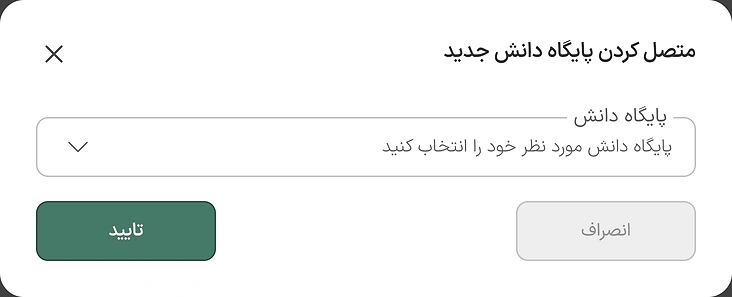
Connected with one choice
To connect knowledge to a bot you pick from what's already there; nothing is uploaded twice.
Try it straight away
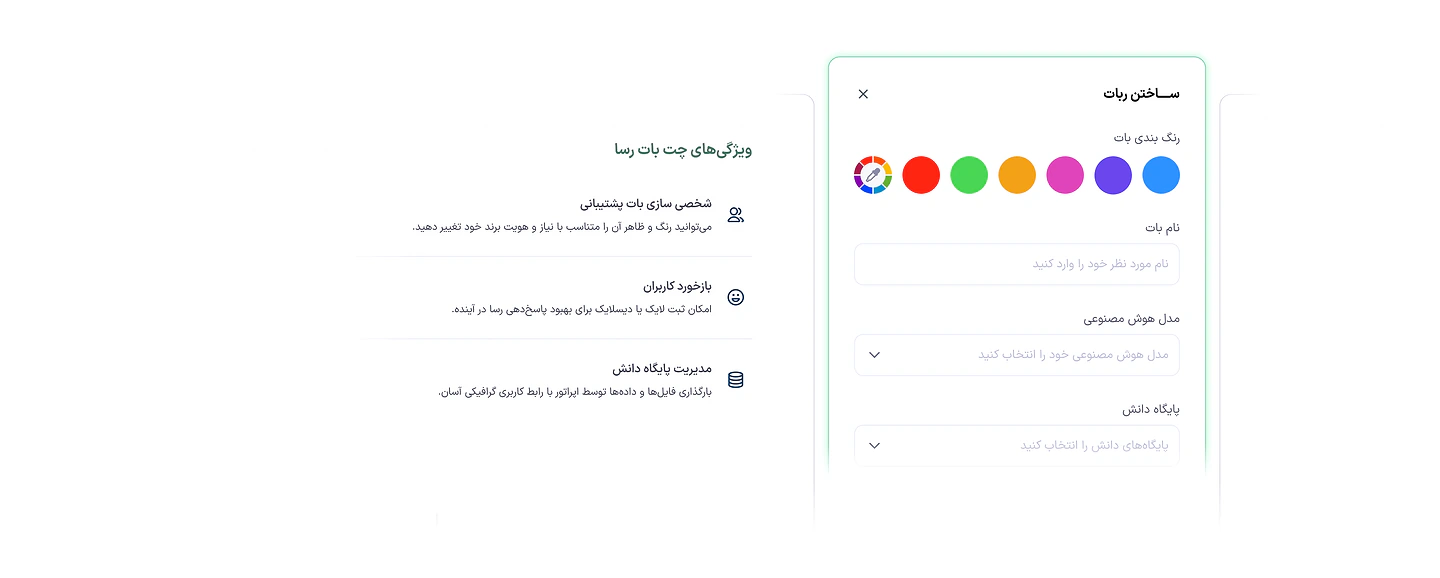
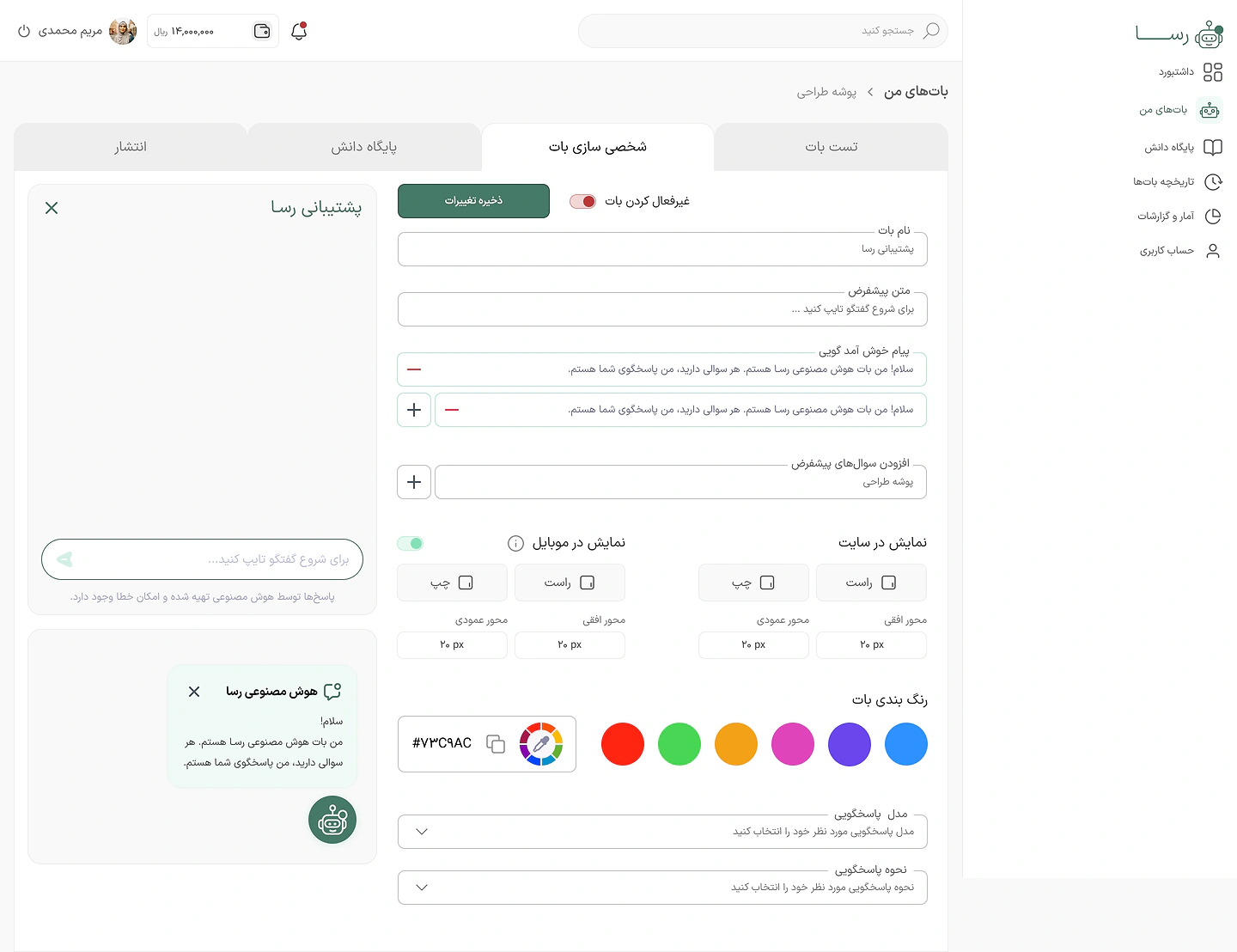
The look, welcome message and widget position are set beside a live preview.
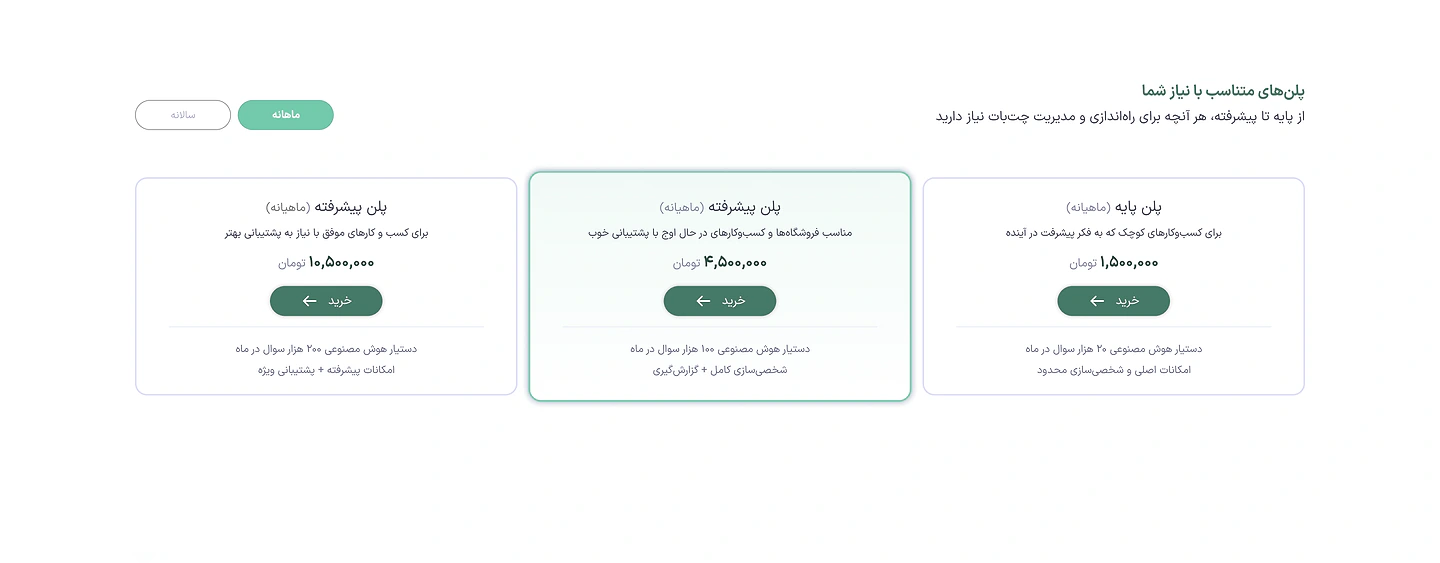
Which plan is right for me?
Three plans, three medals
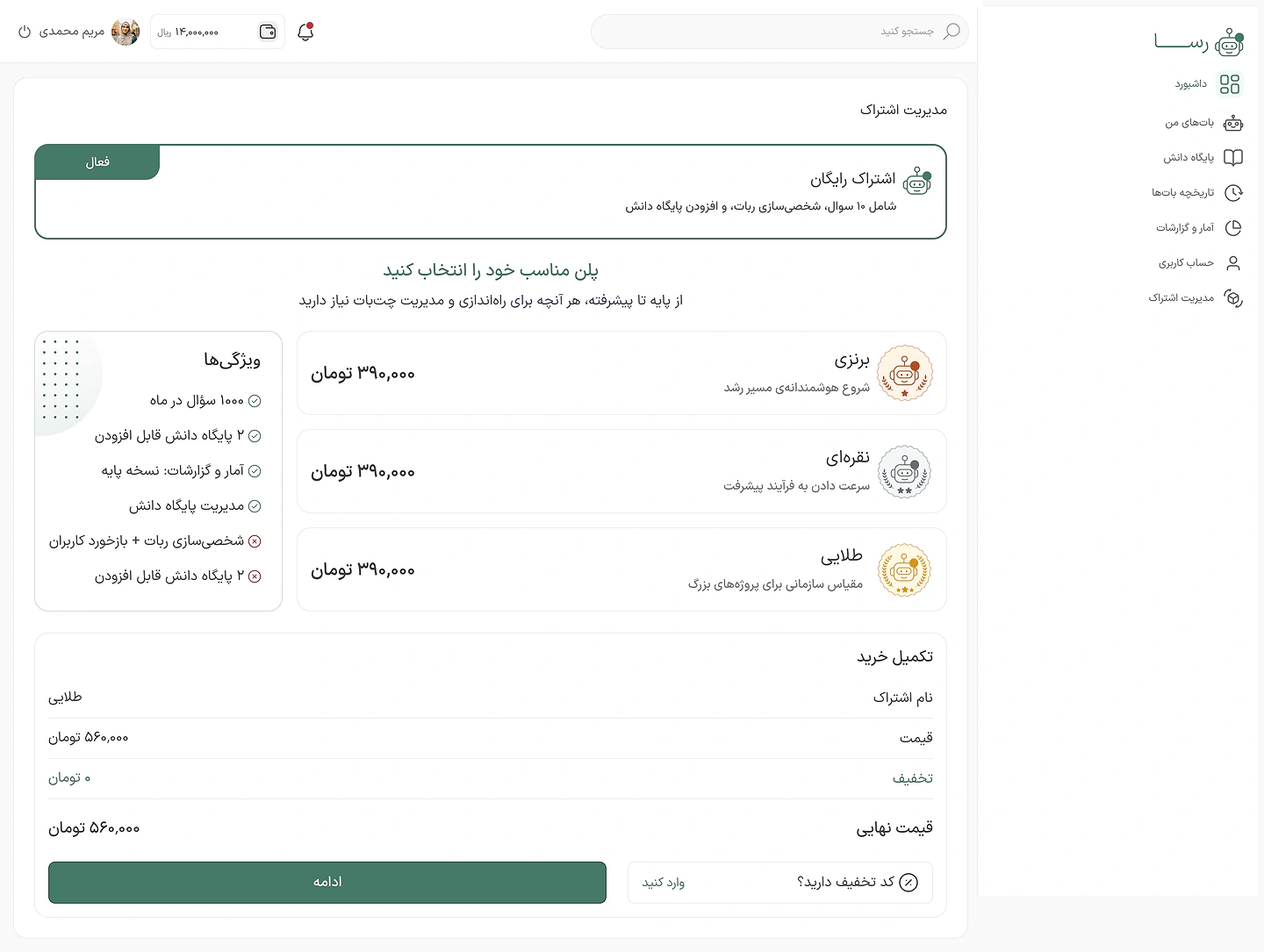
Each plan combines a validity period with a number of questions. So the difference reads at a glance, each got its own name, colour and medal.

Bronze
A smart start

Silver
Picking up speed

Gold
Enterprise scale for big projects
So is Rasa free?
A gift, not a free plan
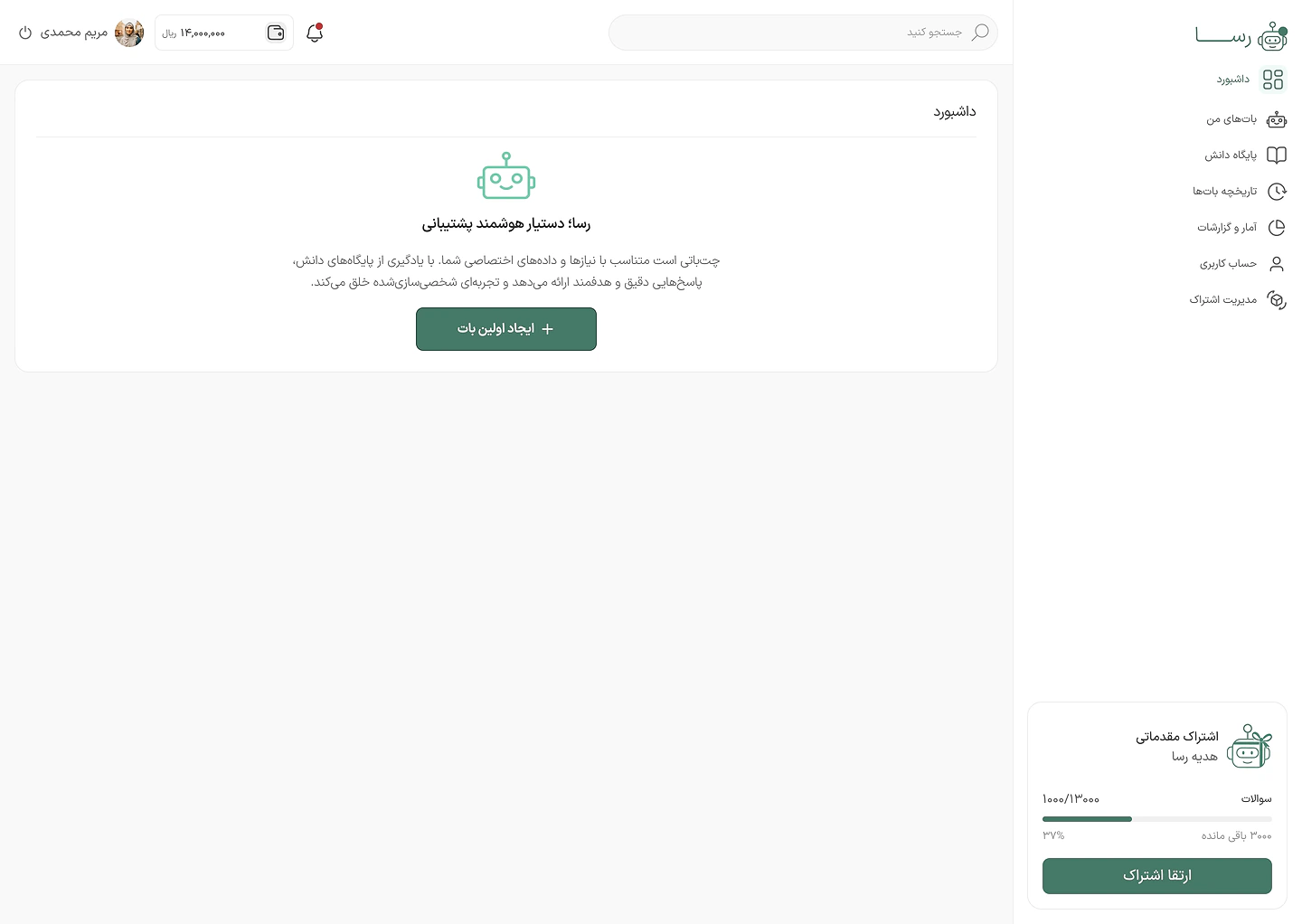
Every new account gets some questions to start with. I introduced them as a gift from Rasa, so they feel like a welcome and nobody mistakes them for a permanent free plan.
An empty dashboard, with one button to build the first bot.The plan card in the sidebar: the starter allowance, as a gift from Rasa.
How much of my plan is left?
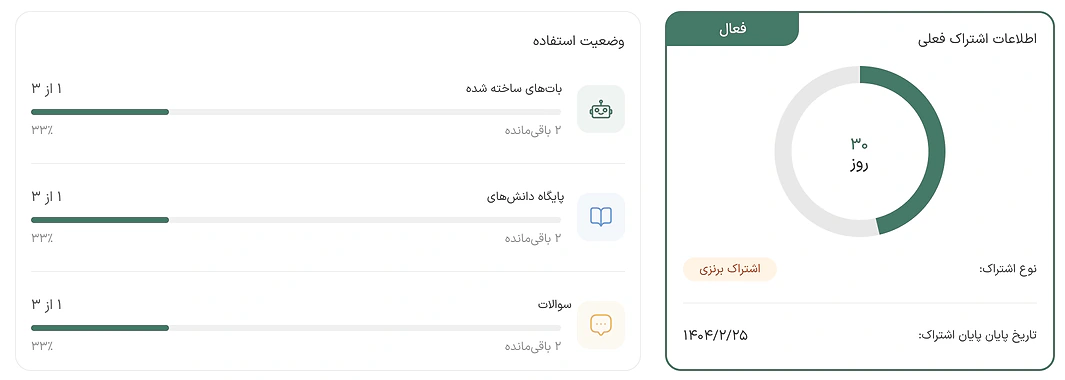
The plan, at a glance
Days left, bots, knowledge bases and questions side by side, so decisions are made before anything runs out.
Can I buy now and start later?
Reserve, activate, and a clear warning
Buying, reserving, activating, renewing and changing plans are different actions. I designed each one separately, with its consequence spelled out.
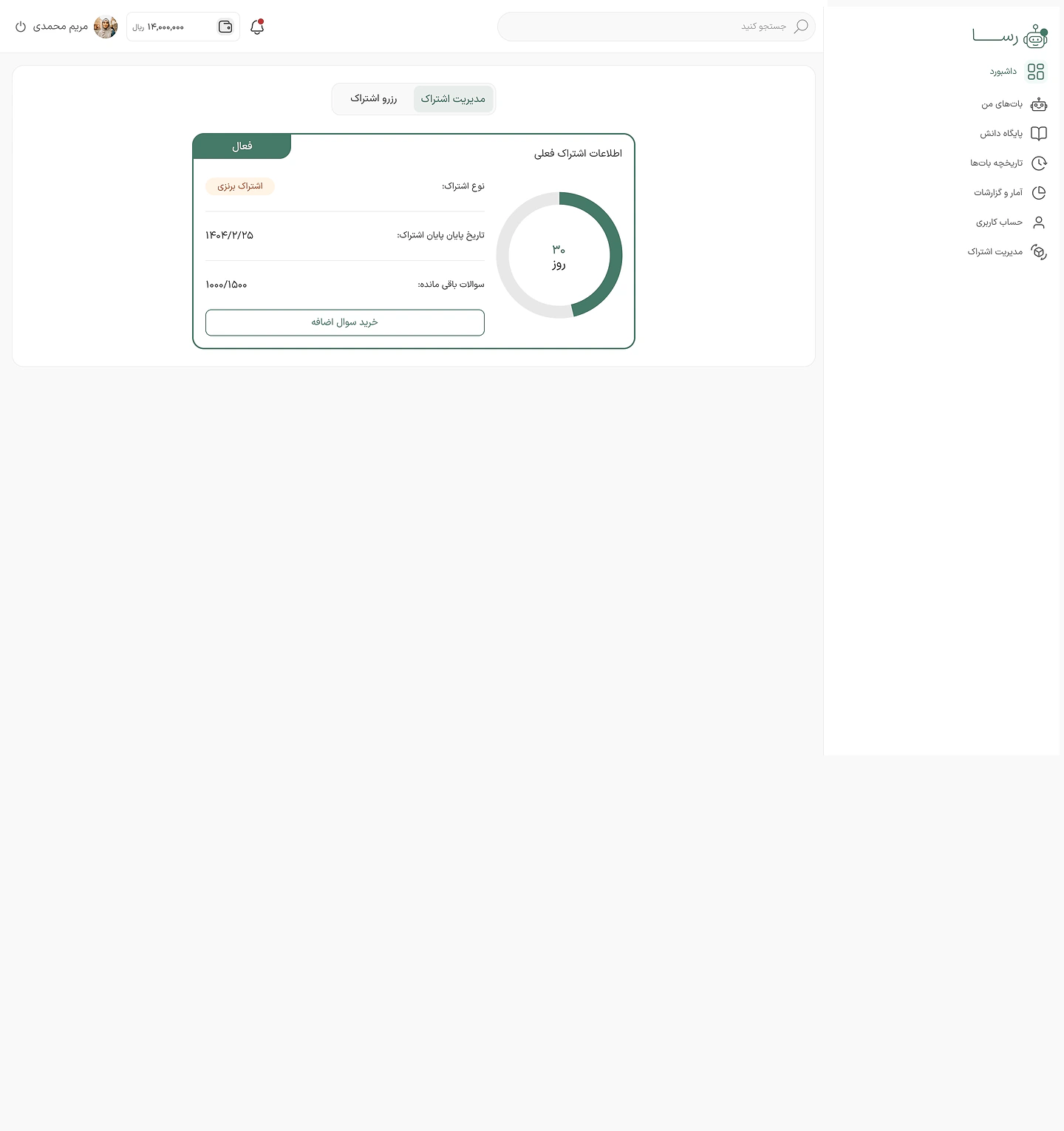
Two tabs, two jobs
The current plan on one side, reserved plans on the other.
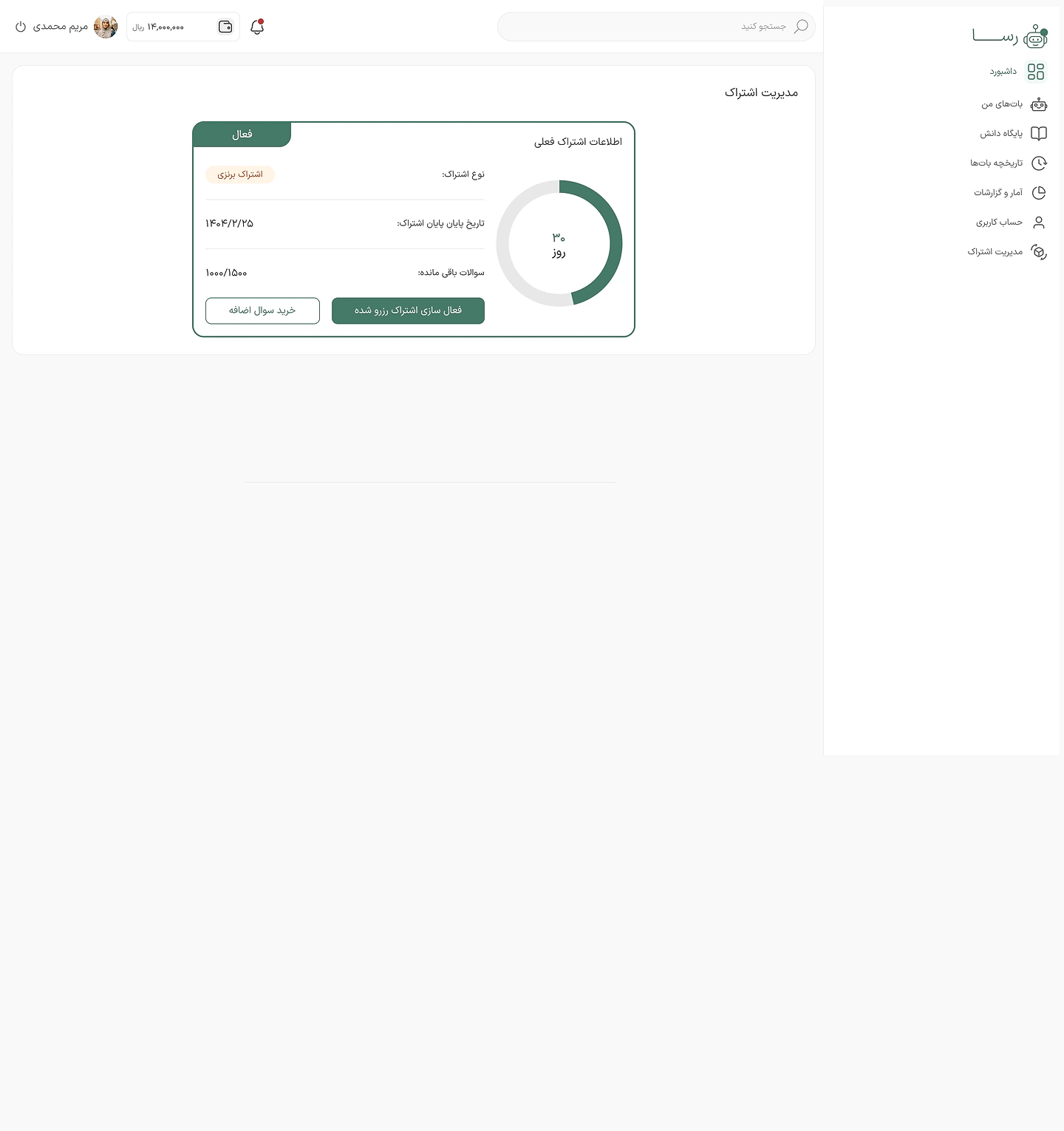
A reserved plan, waiting
A plan bought in advance waits until you choose to activate it.
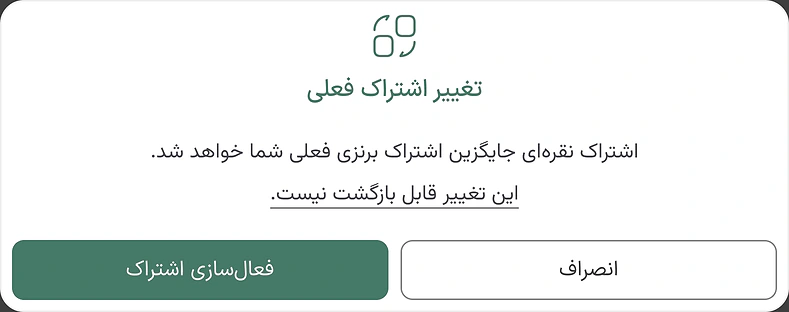
A warning before it replaces anything
If another plan is active, activating replaces it. The dialog says so before you confirm, and points out that it can't be undone.
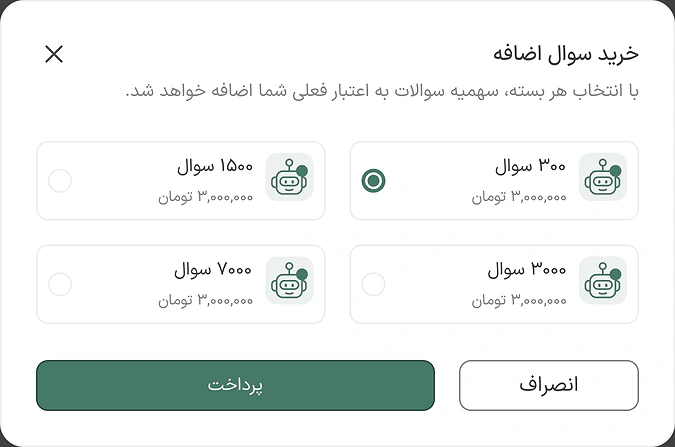
More questions, same plan
Four question packs that top up the current balance without touching the plan.
If I move to a smaller plan, what happens to my bots?
No bot gets deleted
Going from Gold with five bots to Silver with three raised a hard question. My proposal: customers choose which bots stay active, and the rest pause with their settings kept.
On Gold, five bots are active.
Silver covers only three active bots.
The customer picks the three to keep.
The other two pause, not deleted, and come back with an upgrade.
And when something doesn't work?
Errors in Rasa's own voice
Errors are part of the product too. Each one says what happened in Rasa's own picture and voice, and shows the next step.
Page not found: one click back home.
Down for maintenance: back soon.
The bot is offline: one more try.
Sign-in needed: "We'll be waiting!"
And on your site
The widget customers talk to: answers from the site's own knowledge, a rating on every answer, and an honest message when it doesn't know.
Start
A welcome and a few suggested questions, so the conversation starts easily.
One tap
A suggested question is sent with one tap.
An answer
From the site's own knowledge base, with copy and rating.
Writing
The question is typed and sent, and three dots show the bot is writing.
When it doesn't know
Instead of guessing, it says so, and still lets you rate the answer.
Offline
If the bot is unavailable, the widget says so and offers a retry.